
Why HighLevel Teams Want Telnyx for Phone and SMS
Telnyx phone SMS HighLevel 7 min read
Telnyx phone SMS HighLevel explained - what Telnyx adds as the carrier layer, hosted SMS, number health, international numbers, and how to get started.
- Best for
- A business that wants to keep a number it already owns while adding texting to it, or needs clearer per-number carrier visibility and international numbers.
- Not for
- Anyone expecting a blanket 'cheaper than GHL' story on SMS pricing specifically, since native SMS rates are already close to Twilio retail.
- The difference
- Telnyx is the carrier layer under both calling and texting, with per-number health data GHL's native tooling does not surface.
Telnyx phone SMS HighLevel setups exist because two real gaps in HighLevel’s native phone system, LC Phone, have been open complaints for years: you cannot text a number you already own without porting it, and you get little visibility into why a number is being flagged by carriers. Phone Clover puts Telnyx to work behind HighLevel to close both gaps, without asking you to leave the CRM or manage a separate carrier account. This article covers what Telnyx is doing under the hood, where it actually helps, and where the difference from native GHL calling and texting is smaller than marketing usually suggests.
Telnyx as the carrier layer
GHL’s native LC Phone is a Twilio white-label: the SIP domain for its own VoIP deskphones is literally on a Twilio subdomain. Phone Clover replaces that carrier layer with Telnyx for the numbers it manages, while keeping the workflow inside HighLevel exactly where reps already work.
You do not manage a separate Telnyx account or dashboard yourself. Numbers, texting registration, and calling all live inside Phone Clover’s Settings pages, wired into your HighLevel sub-account.
Voice and SMS in one GHL workspace
With Telnyx numbers behind Phone Clover, two things run through the same numbers in the same workspace:
- Calling. A floating browser softphone plus a full Phone page (Recents, Contacts, Keypad, Lists), click-to-call from the Contacts grid, Opportunities cards, and the Conversations header, and every call writes a record, recording, and outcome back to the contact timeline.
- Texting. Phone Clover can register as the sub-account’s SMS provider, so Conversations, workflow Send SMS steps, bulk SMS, and the GHL mobile app all send through your Telnyx numbers, without a separate app or a different sending address.
Note: Voice calling is a desktop browser experience. There is no native mobile calling app. SMS does work in the GHL mobile app, since it rides as a native Conversation Provider, so texting travels with a rep on their phone even though calling does not.
Hosted SMS use cases
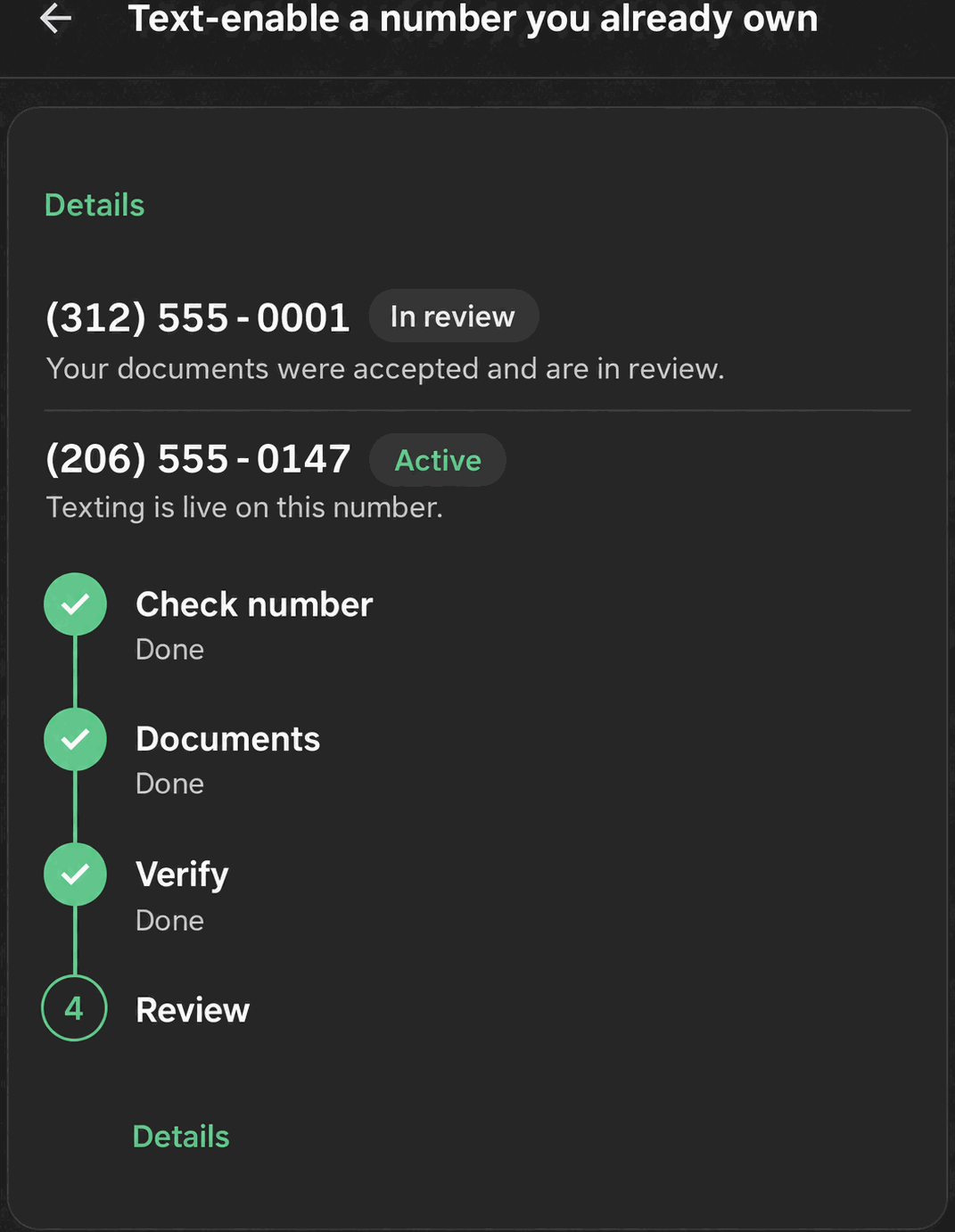
One of the most widely requested unshipped features on GHL’s own ideas board is texting from a number a business already owns, without porting it. Telnyx supports this directly through hosted messaging: a signed letter of authorization and a recent phone bill, reviewed usually within 1 to 3 business days, and texting turns on for that exact number while calls stay exactly where they already are with your current voice provider.
This matters most for businesses whose number is already printed on trucks, signage, and a Google listing, where porting it anywhere would be disruptive even if the alternative provider is better. Hosted SMS adds texting without touching how the phone rings.
Number health and deliverability tooling
The other concrete gap Telnyx closes is visibility into carrier treatment. Phone Clover’s number health radar shows a Delivered/Spam trend per number, whether STIR/SHAKEN signing is active, and the caller-ID name carriers see. If a sub-account has two or more enabled numbers, an optional switch can automatically pause a number that gets flagged and shift texting to a healthier one until it recovers, using thresholds of a spam ratio above 1% or a success ratio below 85% (with a minimum message volume), and a 72-hour window before a number is eligible to be marked healthy again.
Warning: This does not remove “Spam Likely” labels broadly. The scope that is actually true is narrower: US-to-US calls to T-Mobile and Verizon mobile numbers. Treat it as “your name shows up on the carriers that matter, and flagged numbers get benched before they do more damage,” not as a universal fix for spam labeling.
Telnyx numbers can also be purchased internationally, directly from Settings, searchable by country and number type, with purchases rate-limited to 5 per day per sub-account. This matters for any business whose customers are not all in the US, where Telnyx’s broader country inventory beats what native GHL numbers can offer.
How this compares to native LC Phone
It helps to be specific about where the gap actually is, rather than a vague “better” claim:
| Native LC Phone (Twilio white-label) | Telnyx via Phone Clover | |
|---|---|---|
| Texting an owned number without porting | Not available | Hosted SMS, usually 1 to 3 business days |
| Per-number carrier health visibility | Not exposed to the sub-account | Delivered/Spam trend, STIR/SHAKEN status, optional auto-rotate |
| International numbers | Limited inventory | Broader country inventory, self-serve purchase |
| Outbound voice rate (reference) | $0.0166/min, per GHL’s own billing docs | Telnyx rates on your own account, about $0.007/min at list price |
| SMS rate | Close to Twilio retail | Close to LC Phone; not a dramatic discount |
| A2P/10DLC and toll-free registration | Manual Trust Center form | Guided wizard over the same underlying process |
The rate comparison for voice is where the real, defensible price gap sits. On SMS specifically, treat the difference as modest, not the headline reason to switch.
What does not change
A few things stay exactly the same regardless of which carrier sits behind your numbers:
- The carrier registration timeline. A2P 10DLC and toll-free verification both run through TCR and the carrier networks, not through Telnyx or GHL specifically. No provider controls that clock.
- The GHL platform constraint on native calling. Every outside phone app, including Phone Clover, is blocked by GHL’s own developer platform from placing or receiving calls inside GHL’s native Conversations call surface. This is why calling lives in a widget or a dedicated Phone page for every vendor, not just this one.
- Compliance obligations. DND checks, calling-hours rules, and opt-in requirements for texting apply regardless of which carrier is underneath. Switching carriers does not reduce what you are responsible for as the business sending the message or making the call.
Getting started checklist
- Install Phone Clover from the GHL Marketplace as the sub-account admin.
- Set up your first number, either adopting a Telnyx number you already have, buying a new one, or text-enabling an existing number through hosted SMS.
- Register for A2P 10DLC so business texting is not filtered by carriers.
- Turn on native SMS provider registration so Conversations, workflows, and bulk SMS all send through your Telnyx numbers.
- Check the number health card periodically, and consider enabling auto-rotate once you have two or more numbers.
None of these steps require you to log into a separate Telnyx dashboard. They all live inside HighLevel’s Settings, through Phone Clover.
Number ownership, explained plainly
One question that comes up often: who actually owns the Telnyx account behind the numbers? Inside Phone Clover, you are not asked to bring or manage your own separate Telnyx account. Numbers are managed through Phone Clover’s Settings pages, wired directly to your HighLevel sub-account. If you already have numbers sitting in a Telnyx account tagged for GHL use, Phone Clover can adopt them into the sub-account picker rather than requiring a fresh purchase, so existing Telnyx customers are not forced to buy numbers twice.
This matters for anyone evaluating whether adding Telnyx behind HighLevel means a second vendor relationship and a second bill to manage separately. In the common case, it does not; it is one subscription, managed from inside the CRM you already use daily.
A realistic first-week plan
For a team setting this up for the first time, a reasonable order of operations looks like this:
- Day 1: install Phone Clover, set up or adopt your first number, and confirm inbound calls and outbound SMS both work on a test basis.
- Day 1 to 2: start A2P 10DLC registration immediately, since it is the step most likely to take real calendar time waiting on carrier review, not app configuration.
- Day 2 to 3: turn on native SMS provider registration once you are comfortable with how texting behaves, so Conversations, workflows, and bulk SMS all route through the new numbers.
- Ongoing: check the number health card weekly at first, then monthly once you have a sense of how your numbers are behaving with carriers.
Nothing about this timeline is guaranteed, since carrier review speed is outside anyone’s control, but the app-side setup itself is designed to take an afternoon, not a project.
When Phone Clover fits, and when it does not
Telnyx behind Phone Clover fits a business that wants to keep a number it already owns while adding texting to it, wants a clearer picture of carrier treatment per number than GHL’s native tooling offers, or needs international numbers GHL’s native inventory does not carry well. It also fits a team comfortable with desktop-based calling and mobile-based texting as two separate, intentional workflows.
It does not deliver a blanket “cheaper than GHL” story on SMS specifically, since native SMS pricing is already close to Twilio retail on both sides; the real, defensible cost and capability gap is in voice rates and international coverage, not a flat discount across the board. And it does not remove the underlying carrier registration timeline for A2P 10DLC or toll-free verification, since that clock is set by the carriers, not by Telnyx or by Phone Clover.
Related reading: Text-enable a number you already own, Reading number health radar, Shop for international numbers, and the native SMS product page.