
Read the "By rep" table
See calls, answered, missed and average talk time per rep, counted per-leg before ring-all collapses to one call.
For admins · Updated Sep 23, 2026
All guides
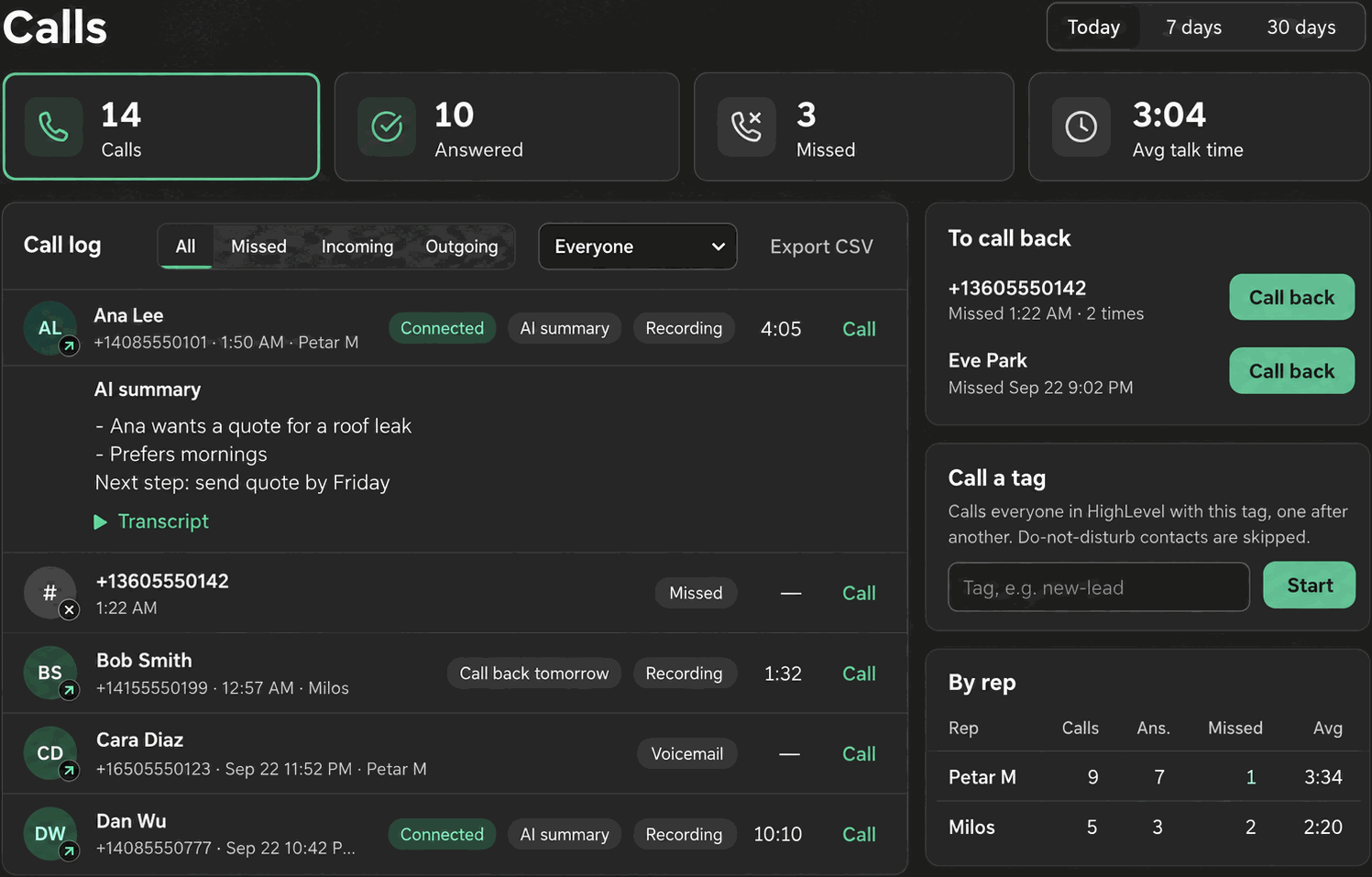
If you manage more than one rep, the “By rep” table is where you see who is actually handling calls, without exporting anything or filtering the log rep by rep yourself.
Where it lives
The “By rep” table is a card on the dashboard, visible to admins only.
What it shows
| Column | Meaning |
|---|---|
| Rep | The rep’s name |
| Calls | Calls that rang this rep |
| Answered | Calls this rep answered |
| Missed | Calls that rang this rep and were not answered |
| Avg | Average talk time for this rep’s answered calls |
How ring-all calls are counted
This is the part worth understanding before you read too much into the numbers.
Note: Counts here are per-leg, counted before ring-all collapses down to a single logged call. If a call rings every rep at once and one rep answers, every rep who let it ring still shows a miss in their own row, even though only one call happened.
This is deliberate. It reflects what each rep individually did (answered or did not) rather than just how many calls the sub-account received. If your ring mode is “Everyone at once,” expect the sum of everyone’s individual miss counts to be higher than the sub-account’s overall missed-call total on the main stat tiles.
How it relates to the period and filters
The “By rep” table respects the period selected at the top of the dashboard (Today, 7 days, 30 days), same as the rest of the dashboard. It is not affected by the call log’s own direction/status filters, since it is a separate summary card.
Using it alongside the rep filter
For a quick summary across the team, use “By rep.” To dig into one rep’s actual calls, switch the call log’s rep filter to that person instead. See Call log filters.
Limits
- Admin only. Reps do not see this table for themselves or for teammates.
- Only shows for the currently selected dashboard period, with no way to compare periods side by side.
- No per-rep CSV export separate from the main call log CSV export, which you can narrow with the rep filter instead.
Troubleshooting
Miss counts across reps add up to more than the sub-account’s total missed calls. That is expected with ring-all routing. See the per-leg counting explanation above.
A rep is missing from the table. The table only lists reps who have had at least one call in the selected period. Switch to a longer period, or confirm the rep is actually set up and has logged in recently.
I do not see this table at all. Confirm you are logged in as an admin. Reps never see the “By rep” card.