
Work the "to call back" list
The dashboard's list of missed calls nobody has followed up on yet, capped at 20 rows.
For everyone · Updated Sep 23, 2026
All guides
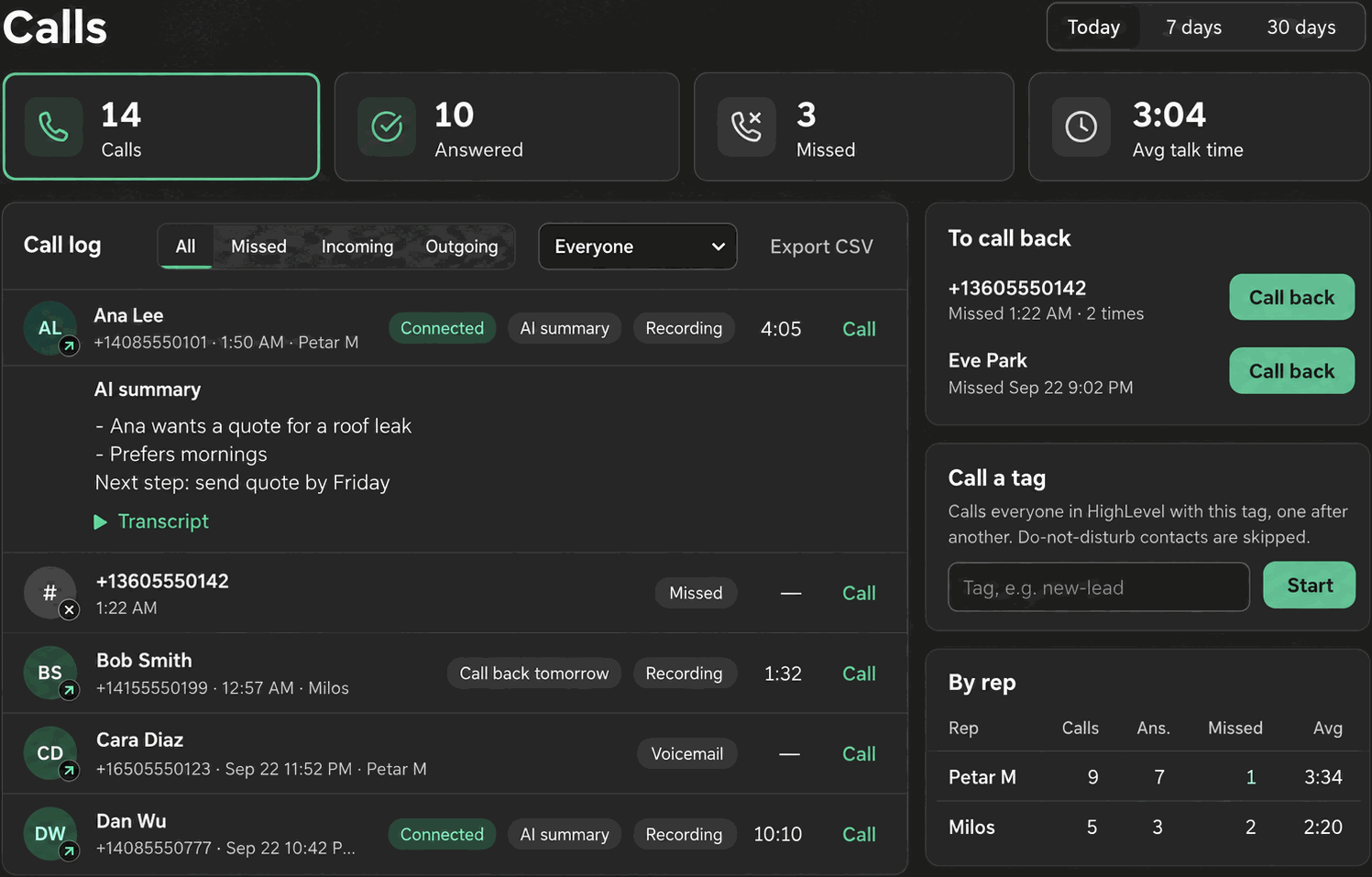
A missed call is easy to lose track of once the day gets busy. The dashboard’s “To call back” card exists specifically so nothing sits unanswered without anyone noticing.
What shows up on it
The list shows missed calls from the last 7 days where nobody at your sub-account has since called or answered that contact. Once someone calls the contact back, or the contact calls back and gets answered, it drops off the list on its own. You do not need to manually clear entries.
Each row has a Call back button that opens the dialer for that contact directly.
Where to find it
The “To call back” card is part of the dashboard, which appears on the full Phone page at window widths of 1000px or wider, alongside the phone itself. See Dashboard metrics for the rest of what the dashboard shows.
Who sees what
A rep sees calls relevant to their own missed calls; an admin sees the whole sub-account’s missed calls, including rings that nobody’s phone caught (for example, everyone was away when a ring-all call came in).
Limits
Note: The list is capped at 20 rows and only looks back 7 days. Older missed calls or calls beyond the 20-row cap will not appear here, even though they still exist in the full call log.
- If your sub-account has more than 20 outstanding missed calls, work through the visible 20 first; the list refreshes as those are cleared, surfacing the next ones.
- The 7-day window is fixed. A missed call from 8 days ago that still has not been followed up will not show here, though it remains visible in the call log itself with call log filters.
How it relates to outcomes
Calling a contact back from this list and logging a post-call outcome works exactly like any other call. The outcome you record (Connected, No answer, and so on) is what determines whether the contact drops off the “to call back” list or stays on it for another attempt.
Troubleshooting
A contact I already called back is still on the list. Confirm the callback was logged with an outcome. If the call did not connect through Phone Clover (for example, you called them from your personal cell), Phone Clover has no record of the callback and the entry stays.
The list looks empty but I know calls were missed. Check the 7-day window; a miss older than 7 days will not show here. Also confirm you are looking at the right scope: an admin sees the whole sub-account, a rep sees their own.
More than 20 rows exist and I cannot see them all. There is no way to expand past 20 in this card today. Use call log filters set to Missed to see the full history.