
The problem
Phone work in most CRMs means leaving the CRM. A rep sees a call come in, has to find the calling app in another tab or window, and by the time they get there the caller’s context, who they are, what they last talked about, is gone or buried somewhere else. That gap costs answered calls and it costs the caller card’s usefulness, because nobody looks at it under pressure to find a ringing tab.
Phone Clover’s browser softphone solves this by living inside HighLevel itself, on every page, not just a dedicated Phone tab. The call comes to the rep instead of the rep having to go find it.
How it works in HighLevel
The softphone is a 56px circular bubble injected into every GHL page the rep has open. The phone icon rotates open when clicked, and closes the same way. If there are missed calls the rep hasn’t seen, a red badge shows the count, capped at “9+”, and the bubble’s label reads out loud how many calls were missed for anyone using a screen reader.
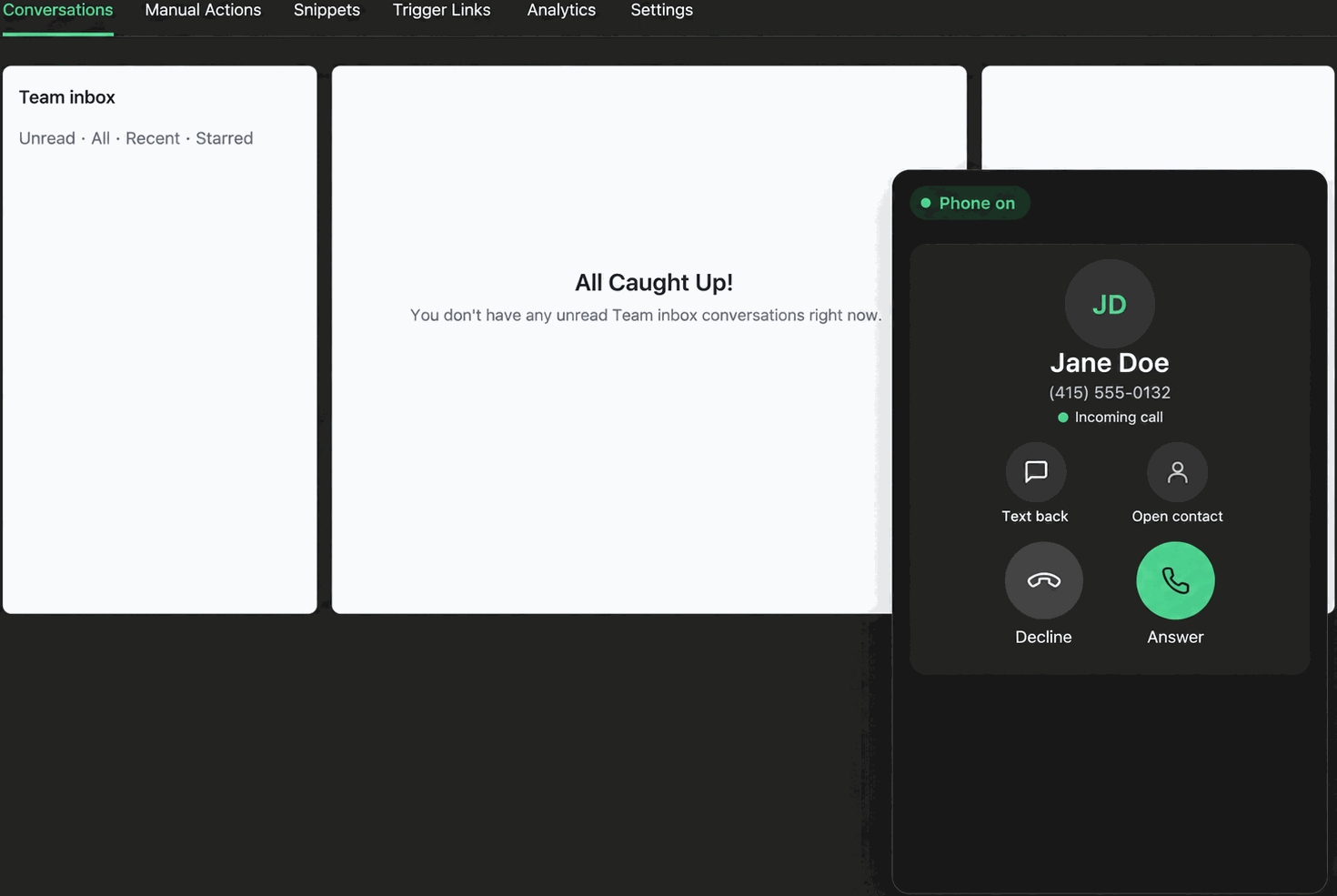
Opening the bubble reveals a panel up to 380px wide and 640px tall, opening toward whichever side of the screen has the most room. Inside, the rep sees whatever’s relevant: the caller card while a call rings in, live call controls once it connects, or the dial pad to place an outbound call. A drag handle lets a rep move the panel out from over whatever they’re reading, and double-clicking the handle snaps it back.
Only the floating widget owns the live call connection. That means once a call is running in the softphone, it stays running there through mute, hold, notes and hang up, rather than jumping between two different call surfaces.
Every option explained
| Setting | Where | What it does |
|---|---|---|
| Phone bubble | Injected on every HighLevel page | Opens the softphone panel; shows a badge for unseen missed calls |
| Drag handle | Top of the open panel | Repositions the panel; double-click snaps it back to its default spot |
| In-call controls | Inside the open panel during a call | Mute, hold, keypad, note, contact, text and hang up, identical to the full Phone page |
| Desktop notifications | Browser permission, requested on first click | Shows a native browser notification when a call rings and the GHL tab isn’t focused |
Note: The softphone’s phone icon and bubble are injected by the app’s widget script directly into GHL, not delivered through a GHL Custom JS module, after an earlier approach relying on a Marketplace-served module didn’t work reliably.
What runs on Telnyx
Every call placed or answered through the softphone runs over Telnyx’s WebRTC voice infrastructure. The browser opens a WebRTC connection to Telnyx, which handles the actual audio path to the person being called, whether that’s a mobile number, a landline, or another Telnyx-connected line. Phone Clover’s job is the interface: the bubble, the drag panel, the caller card and the controls sitting on top of that connection.
Because it’s browser-based WebRTC, the softphone needs a working microphone and a stable connection in the browser tab; there’s no separate desk phone or SIP hardware required. Recordings and call metadata Telnyx generates during the call are what Phone Clover later writes back to the GHL contact timeline.
Who uses it
Every rep who takes or makes calls uses the softphone as their day-to-day phone, since it’s the surface that owns the live call. Admins don’t get a separate interface for calls, they use the same softphone as everyone else, though they also see sub-account-wide reporting on the dashboard that individual reps don’t.
What to expect
The softphone is a desktop browser experience, full stop. There’s no phone-app version of it, so a rep away from their computer needs calls forwarded to a mobile number to stay reachable, and can still text natively from the GHL mobile app in the meantime. It’s also currently limited to a specific allowed sub-account in the deploy configuration rather than rolled out everywhere, so check current status before promising it to a new sub-account. And because only the softphone owns the live call, there’s no warm transfer or 3-way calling: one rep, one call, start to finish.