
The problem
Your customers already know your business number, it’s on trucks, invoices, the website and the Google listing. Switching to a new number just to get texting inside HighLevel means retraining customers, updating everything printed with the old number, and losing whatever reputation that number built up with carriers over time. Porting a working number is its own project, with its own risk of a mistake interrupting service.
Texting from an existing number without porting is a widely requested feature GHL has not shipped, and the closest built-in answer, Verified Caller ID, only covers outbound voice, not texting on that number. A business that wants both calls and texts on the same familiar number, without a multi-week port or a service interruption, has had few good options until now.
Hosted SMS avoids all of that by adding texting to the number you already have, while your voice provider keeps the calls exactly as they are today.
How it works in HighLevel
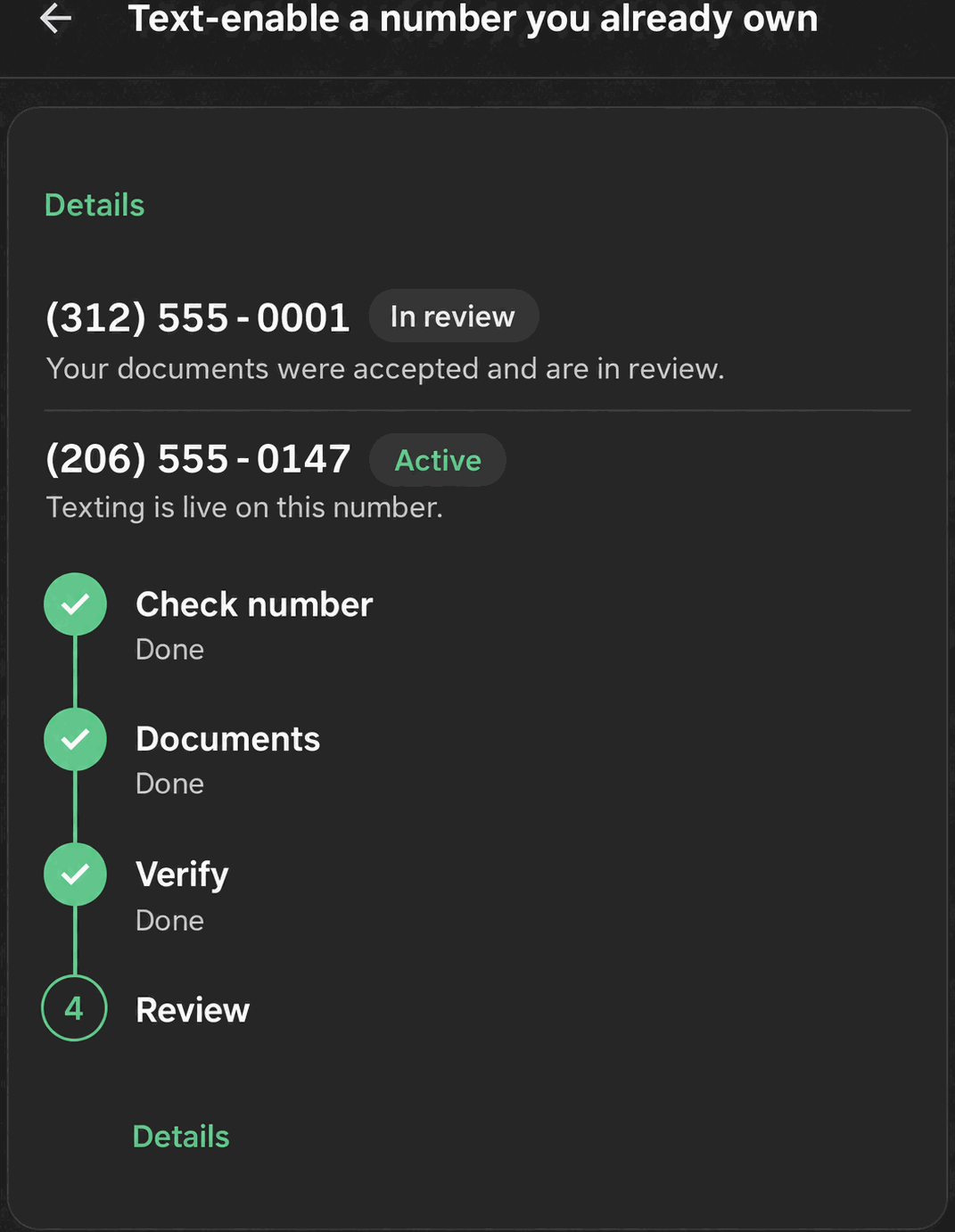
The wizard opens from Settings → Numbers → “Add a number” → “Text-enable a number you already own,” titled “Text-enable your existing number.” It’s a four-step vertical rail. First, Check number: enter the number and click Check this number; landlines and VoIP numbers qualify, mobile numbers stop here since they can’t be hosted this way. Second, Documents: upload a signed letter of authorization, a downloadable template is offered, and a recent phone bill showing the number, each file up to 5MB; a collapsible section lists the five fields the letter must contain. Third, Verify: Phone Clover texts a short code to the number, and entering it proves you control the line. Fourth, Review: Telnyx reviews the request, usually 1 to 3 business days, Monday to Friday, and texting switches on the moment it clears, with no further action needed.
Status chips track progress the whole way: Checking, Awaiting documents, Confirming ownership, In review, Active, Failed. Throughout every step, calls on the number are completely untouched. Nothing about how the phone rings changes during or after the process, because this only ever adds a texting layer, it doesn’t move the number.
Every option explained
| Step | What you do | What Phone Clover checks |
|---|---|---|
| Check number | Enter the number | Whether it’s a landline or VoIP number eligible for hosting; mobile numbers are rejected here |
| Documents | Upload a signed LOA and a recent phone bill, each up to 5MB | That both required documents are attached before moving on |
| Verify | Enter the code texted to the number | That you actually control the number, before Telnyx’s review begins |
| Review | Wait for Telnyx’s review, usually 1–3 business days | Nothing further from you; status updates automatically to Active or Failed |
Note: Calls on the number are never touched by Hosted SMS. Keep paying your current voice provider, the number still lives with them for calling.
What runs on Telnyx
Telnyx is the carrier that reviews and hosts the texting side of the number once your documents and verification code are submitted. It checks the letter of authorization and phone bill against the number, confirms SMS-based ownership verification, and, once approved, begins routing texts for that number without requiring the number itself to be ported into a Telnyx-owned account for voice. After approval, texts sent from Conversations, workflow Send SMS and bulk SMS all go out over that hosted number the same way they would for any other Telnyx number in Phone Clover.
Who uses it
An admin runs the wizard, since it’s the one part of number setup that involves uploading legal documents and confirming ownership. Once it’s active, reps use the number for texting exactly like any other number configured in Phone Clover, no separate training required, since the workflow in Conversations doesn’t change.
What to expect
Hosted SMS only works for US landline and VoIP numbers, mobile numbers need a different path entirely, typically a new Telnyx number. Document uploads are capped at 5MB each, and ownership verification is SMS-only, so if the number can’t receive a text yet, verification can’t complete. There’s no way to cancel a submitted request from inside the wizard, and business texting on the hosted number still needs A2P 10DLC registration to send reliably once it’s active, that’s a separate step, not something Hosted SMS itself covers.
Set expectations up front with whoever is submitting the request: the letter of authorization has to include all five required fields the wizard lists, and a phone bill that doesn’t clearly show the number will likely bounce the request back with a Failed status. Budgeting a few business days for the review, rather than expecting same-day activation, keeps the rollout on schedule.