
The problem
A missed call is a lost opportunity if nobody follows up quickly, and a caller who hears ringing and then nothing is often just as likely to call a competitor next. Reps can’t always call back the moment they notice a missed call, especially outside business hours or during a busy stretch, and manually texting every missed caller doesn’t scale.
Service businesses feel this the most: a homeowner calling about a leak or a breakdown usually calls the next number on the list the moment the first one doesn’t pick up. A quick automatic reply, even just acknowledging the call was received, can be the difference between that lead staying yours and moving on to a competitor before a rep even sees the missed-call notification.
Missed-call text-back closes that gap automatically, but only once a team decides they actually want it on, and only after Phone Clover is sure the call really went unanswered.
How it works in HighLevel
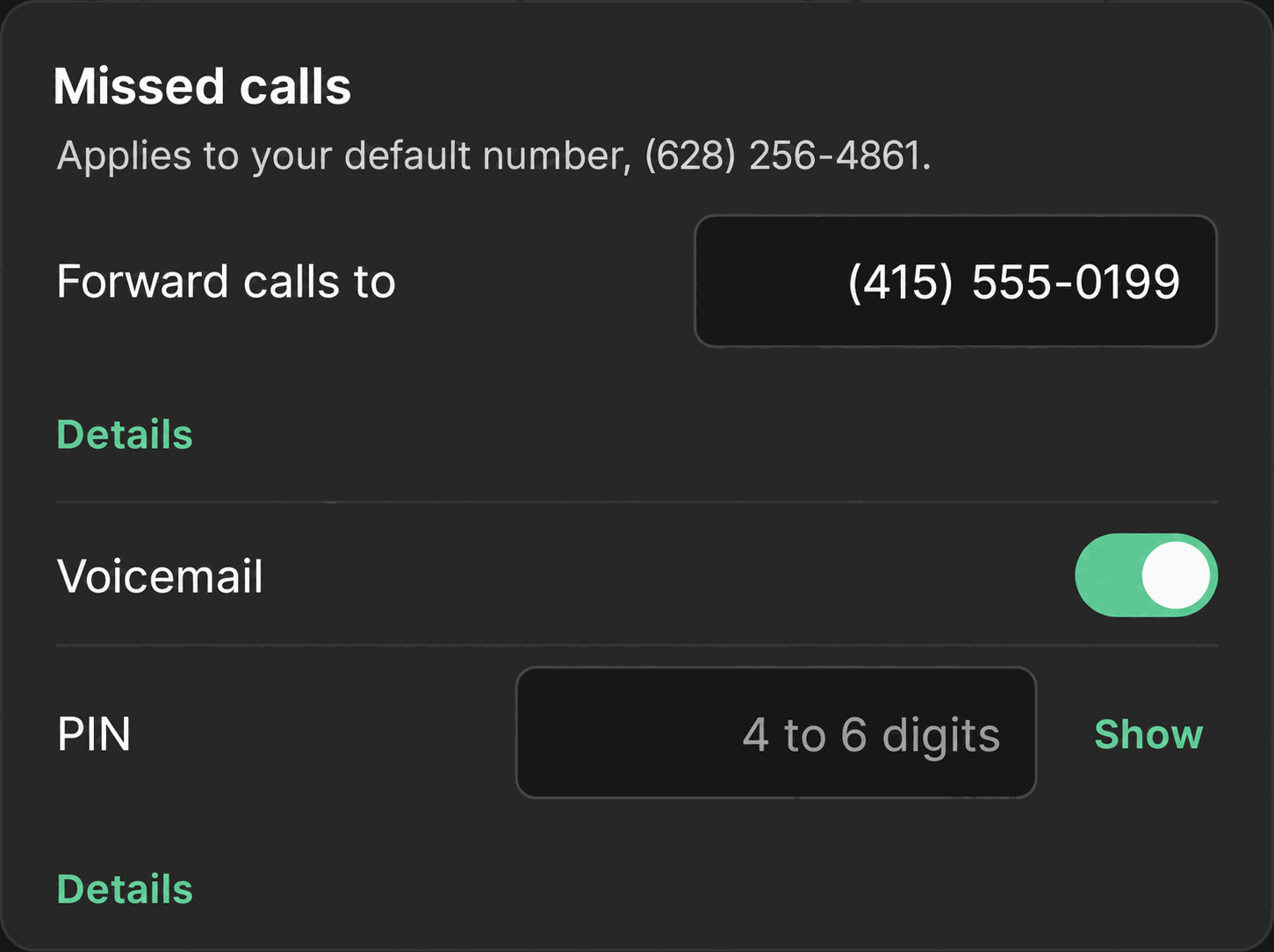
An admin turns this on from Settings → Calls → “Missed calls” card, using a single text field that doubles as the on/off control. Typing a message into “Text back if missed” turns the automation on; the field’s placeholder reads “No text (off)” when it’s not configured. Clearing the field prompts a confirmation: “Stop texting back missed callers? Nobody will hear from you automatically.”
Once it’s on, Phone Clover waits for the entire call chain to finish before deciding the call counts as missed: ringing, then any forward to a mobile number, then voicemail. Only after all of that resolves with nobody picking up does the automatic text fire, and only once. That order matters: a call that gets answered after being forwarded never triggers a text, since it wasn’t actually missed.
The text itself is written to GHL as a contact note, not a new message inside the Conversations SMS thread. That’s a limitation of how GHL’s API exposes this kind of automated message today, not a Phone Clover choice, so a rep checking Conversations for the reply won’t find it there; it shows up on the contact’s timeline as a note instead.
Every option explained
| Setting | Where | What it does |
|---|---|---|
| Text back if missed | Settings → Calls → “Missed calls” card | A message field, up to 300 characters, that doubles as the on/off switch; empty means off |
| Forward calls to | Settings → Calls → “Missed calls” card | If set, the call tries this number before voicemail; text-back only fires after this leg also goes unanswered |
| Voicemail | Settings → Calls → “Missed calls” card | If on, voicemail runs before the call counts as fully missed |
Note: The automatic text lands as a contact note in GHL, not as a bubble in the Conversations SMS thread. Set expectations with the team accordingly, since a rep glancing at Conversations won’t see it there.
What runs on Telnyx
The missed-call text sends from the sub-account’s Telnyx number over the same messaging path as any other outbound text from Phone Clover. Because it’s a real business text, US recipients are subject to the same A2P 10DLC requirements as any other SMS sent from the number, so registration needs to be complete for the automatic reply to send reliably.
Who uses it
Admins are the only ones who configure this, from Settings → Calls. Reps don’t see a toggle for it; once it’s on, it runs automatically for every missed call at the sub-account, and any reply the caller sends back arrives in Conversations as a normal inbound text a rep can pick up.
What to expect
This automation is off until an admin turns it on, and it stays limited in a few specific ways even once it’s running: it sends once per missed call, not repeatedly; it only fires after the entire ring, forward and voicemail chain has finished, so a call that gets picked up on a forwarded leg never triggers it; and the message itself lands as a contact note rather than inside the Conversations thread, which is a GHL API limitation rather than something Phone Clover can change today.
Write the message with that note behavior in mind. Since a rep scanning Conversations won’t see the automatic text there, it’s worth including something in the message itself that tells the caller what happens next, like when to expect a callback, rather than relying on a rep noticing the note and following up right away.